
Anúncios
Video editing has become essential for creators, marketers, and everyday users looking to enhance their content without breaking the bank.
Free Video Editing Tools for Every Creator
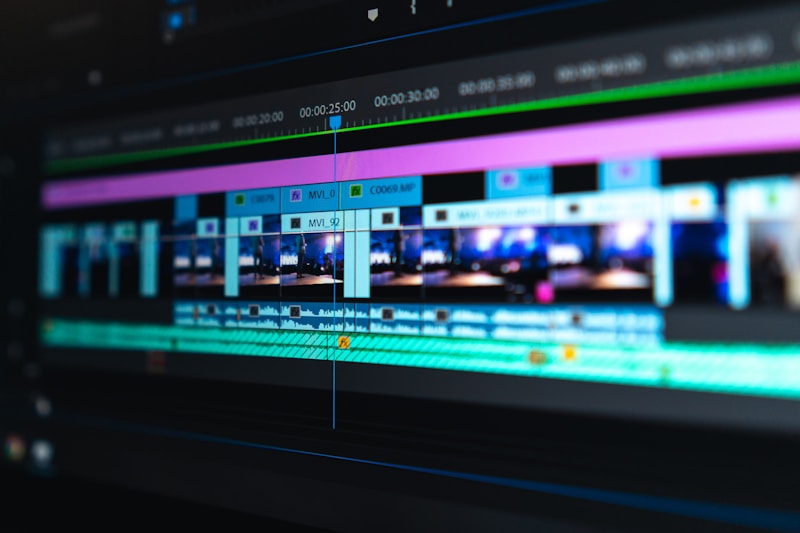
Explore Professional Tools
The digital landscape has democratized content creation like never before. Gone are the days when professional video editing required expensive software suites and specialized training. Today’s free video editing applications offer powerful features that rival premium alternatives, making it possible for anyone to produce stunning visual content.
Anúncios
Whether you’re a social media influencer crafting engaging reels, a small business owner creating promotional materials, or simply someone who wants to polish family videos, the right editing app can transform your raw footage into polished masterpieces. Let’s explore the best free options available across different platforms and use cases.
📱 Why Free Video Editing Apps Are Game-Changers
The rise of smartphone videography has created unprecedented demand for accessible editing solutions. Modern free video editing apps have evolved far beyond basic trim-and-crop functionality, now offering advanced features like multi-layer timelines, color grading, motion graphics, and AI-powered enhancements.
Anúncios
These applications remove financial barriers that once prevented aspiring creators from entering the video production space. With just a smartphone or tablet, users can access professional-grade tools that were once exclusive to expensive desktop software. The competitive landscape has pushed developers to continuously innovate, resulting in feature-rich applications that cost nothing to download.
Most importantly, free editing apps have adapted to contemporary content consumption patterns. They’re optimized for vertical video formats, offer built-in templates for social media platforms, and include royalty-free music libraries—addressing the specific needs of today’s content creators.
🎬 CapCut: The All-In-One Mobile Powerhouse
CapCut has rapidly emerged as one of the most popular free video editing applications worldwide, particularly among TikTok creators and social media enthusiasts. Developed by ByteDance, the parent company of TikTok, this app seamlessly integrates with the platform while remaining versatile enough for content destined for other channels.
The interface strikes an impressive balance between simplicity and capability. New users can quickly navigate the timeline-based editor, while advanced creators appreciate features like keyframe animation, chroma key effects, and speed ramping. The app supports resolution up to 4K, ensuring your content maintains crisp quality across all devices.
One of CapCut’s standout features is its extensive template library. Users can select from thousands of pre-designed edits synchronized to popular music tracks, making it possible to create trending-style content within minutes. The auto-captions feature uses speech recognition to generate subtitles automatically, saving hours of manual transcription work.
The effects library continuously expands with trending filters, transitions, and stickers that keep content feeling fresh and relevant. Text animation options rival those found in dedicated motion graphics software, allowing creators to add dynamic typography without leaving the app. Color grading presets help maintain consistent aesthetics across video projects.
✂️ InShot: Precision Editing in Your Pocket
InShot has built a loyal following by focusing on what matters most to mobile creators: speed, precision, and flexibility. The app’s intuitive interface allows quick edits without sacrificing control over the final product. Unlike some competitors that prioritize flashy effects over fundamental functionality, InShot excels at core editing tasks.
The trimming and splitting tools offer frame-level accuracy, essential for creators who need precise timing in their cuts. The canvas adjustment feature solves the common problem of aspect ratio formatting, allowing seamless conversion between landscape, square, and vertical formats without awkward cropping. Background options include blur effects, colors, or patterns to fill empty space elegantly.
Audio editing capabilities stand out in InShot’s feature set. Users can layer multiple audio tracks, adjust volume curves with precision, and apply fade effects for smooth transitions. The built-in music library includes diverse genres, though creators can also import their own audio files. Voice recording functionality enables direct narration within the app.
Text and sticker customization provides extensive creative freedom. Fonts can be imported, colors adjusted with precision, and animations applied to make text elements dynamic. The pip (picture-in-picture) feature allows video layering, perfect for reaction videos or tutorials requiring simultaneous footage streams.
🖥️ DaVinci Resolve: Professional-Grade Desktop Power
When desktop editing is preferred, DaVinci Resolve represents the pinnacle of free video editing software. Originally a high-end color grading system used in Hollywood productions, Blackmagic Design made the core version completely free, shocking the industry and democratizing professional video editing.
The learning curve is steeper than mobile alternatives, but the capability ceiling is exponentially higher. DaVinci Resolve includes dedicated pages for editing, color correction, audio mixing, and visual effects—each offering professional-level tools that would typically require separate software suites. The free version imposes minimal restrictions, with most limitations affecting only advanced collaborative workflows.
Color grading tools in DaVinci Resolve are industry-standard, offering precise control over every visual aspect of your footage. The node-based color correction system allows complex adjustments while maintaining flexibility. Pre-built LUTs (Look-Up Tables) provide quick starting points for specific aesthetics, from cinematic looks to vintage film emulations.
The Fairlight audio page transforms video editing into a full-fledged digital audio workstation. Multi-track mixing, EQ adjustment, compression, and spatial audio processing give creators complete sonic control. The Fusion page provides motion graphics and visual effects capabilities comparable to After Effects, including 3D compositing and particle systems.
🎨 Adobe Premiere Rush: Cross-Platform Simplicity
Adobe’s entry into the free mobile editing space brings the company’s renowned interface design philosophy to smartphones and tablets. Premiere Rush offers a streamlined version of Premiere Pro’s functionality, optimized for quick edits and immediate sharing. While the free version limits cloud storage and exports, the core editing tools remain fully functional.
The app excels at maintaining consistency across devices. Projects started on a phone can seamlessly continue on a tablet or desktop, with automatic syncing ensuring no work is lost. This cross-platform compatibility appeals to creators who split work between devices depending on context and availability.
Built-in motion graphics templates provide professional animated titles without requiring After Effects knowledge. These templates are fully customizable, allowing adjustments to colors, fonts, and timing while maintaining the original design integrity. Transitions and effects apply with single taps, though parameters remain adjustable for those wanting finer control.
Audio cleanup tools include automatic ducking, which lowers background music when dialogue occurs, and noise reduction filters that minimize unwanted ambient sound. The streamlined color grading panel offers presets alongside manual adjustment sliders for temperature, tint, exposure, and saturation. Export settings optimize files for specific social platforms, automatically formatting content for Instagram, YouTube, Facebook, or TikTok.
🌟 FilmoraGo: Template-Driven Creativity
Wondershare’s FilmoraGo takes a template-first approach that resonates with creators seeking inspiration and structure. The app’s extensive template collection spans various content types, from travel vlogs to product reviews, providing frameworks that guide editing decisions while allowing personalization.
Each template includes coordinated transitions, text animations, and music selections designed to work harmoniously. Users simply import their footage into designated slots, and the app automatically applies timing and effects. This approach dramatically reduces editing time while maintaining professional polish, particularly valuable for creators managing consistent content schedules.
Beyond templates, FilmoraGo offers traditional timeline editing with all expected features. The reverse video function creates eye-catching effects, while slow-motion and speed ramping tools add dramatic emphasis. Picture-in-picture support enables creative compositions, and the green screen feature allows background replacement for limitless creative possibilities.
The app includes a sizable collection of royalty-free music organized by mood and genre. Sound effects range from cinematic impacts to everyday ambiences, enriching videos without requiring external audio sourcing. Export quality reaches 1080p in the free version, sufficient for most social media applications and online sharing.
⚡ Quik by GoPro: Automated Excellence
Originally designed to edit GoPro footage quickly, Quik has evolved into a versatile editor that works with any video source. The app’s defining characteristic is intelligent automation—it analyzes footage and creates edits synchronized to music beats, identifying highlights and applying appropriate transitions.
The automated editing process feels almost magical. Users select clips and choose a music track, then Quik analyzes both to create a cohesive video with cuts timed to musical beats and transitions placed at natural moments. While automation drives the initial edit, every aspect remains customizable, allowing manual refinement of the AI’s suggestions.
Theme selection provides varied aesthetic approaches, from high-energy action sequences to contemplative cinematic pieces. Each theme includes coordinated fonts, filters, and transition styles that maintain visual consistency. Text overlays can highlight key moments, locations, or messages, with placement and timing easily adjustable.
Quik’s simplicity makes it ideal for quick social media content, vacation recaps, or event summaries where extensive manual editing isn’t necessary. The app handles common aspect ratios effortlessly and exports directly to social platforms with appropriate formatting. While not suited for complex projects requiring precise control, Quik excels at its intended purpose: creating engaging videos fast.
🎯 KineMaster: Layered Editing Precision
KineMaster distinguishes itself through support for multiple video, audio, image, and text layers—a feature traditionally limited to desktop software. This capability opens creative possibilities unavailable in simpler mobile editors, enabling complex compositions and sophisticated visual storytelling.
The multi-layer timeline accommodates various media types simultaneously. Video clips can overlay with adjustable opacity for creative blending effects. Text layers support frame-by-frame animation, creating kinetic typography effects. Stickers and images can be positioned, scaled, and animated independently, allowing elaborate visual compositions.
Chroma key functionality performs remarkably well for a mobile application, enabling green screen removal with adjustable tolerance and edge refinement. This feature unlocks possibilities for virtual backgrounds, composite scenes, and creative effects previously requiring desktop solutions. Blending modes provide additional compositing options, from screen and multiply to overlay and color dodge.
Audio control extends beyond simple volume adjustment. The app supports multiple audio tracks with independent mixing, EQ adjustment, and envelope control for fade effects. Voice-over recording includes real-time monitoring, and audio extraction from video allows repurposing of existing content. Sound effects and music libraries supplement personal audio collections.
The free version includes a watermark on exports, but all editing features remain accessible. For creators willing to accept this limitation, KineMaster provides professional-level capability without financial investment.
🔄 VN Video Editor: Minimalist Power
VN Video Editor embraces minimalism without sacrificing functionality. The clean interface focuses attention on the timeline and preview window, reducing visual clutter that can overwhelm beginners while maintaining quick access to essential tools for experienced editors.
The app includes no watermarks, advertisements, or mandatory subscriptions—a rarity in free video editing applications. All features unlock immediately upon installation, and export quality isn’t artificially limited. This genuinely free approach has cultivated a dedicated user base appreciative of transparency and respect for user experience.
Curve-based speed adjustment enables smooth speed ramping effects, gradually accelerating or decelerating footage rather than applying abrupt changes. Keyframe animation applies to position, scale, rotation, and opacity across various elements, enabling sophisticated motion graphics. The mask feature allows selective effect application, focusing adjustments on specific image areas.
Template availability is more limited compared to competitors, but the available options maintain high quality. Text presets include animated styles suitable for various content types, from casual vlogs to professional presentations. Transition variety covers essential options without overwhelming users with excessive choices.
🎥 Choosing the Right App for Your Needs
Selecting the optimal video editing application depends on several factors unique to each creator’s situation. Content type significantly influences which features matter most. Short-form social media content prioritizes quick editing, templates, and built-in music, making apps like CapCut or Quik ideal choices. Long-form content requiring precise cuts and complex layering benefits from KineMaster or desktop solutions like DaVinci Resolve.
Technical capability and willingness to learn also guide selection. Beginners often prefer intuitive interfaces with automation features that produce quality results without extensive training. Advanced users might prioritize feature depth over simplicity, accepting steeper learning curves for greater creative control. Starting with user-friendly options and graduating to more complex tools as skills develop represents a practical progression strategy.
Device capability matters, particularly for mobile editing. Older smartphones may struggle with apps requiring significant processing power, leading to crashes or slow performance. Checking minimum system requirements and reading reviews from users with similar devices helps avoid frustration. Desktop editing provides more processing power but sacrifices the convenience of editing anywhere.
💡 Maximizing Free App Potential
Understanding each app’s strengths allows strategic workflow combinations. Many professional creators use multiple applications, leveraging specific features from each. Initial rough edits might occur in one app, with fine-tuning and effects added in another better suited to those tasks. Audio mixing could happen in a dedicated audio app before reimporting to the video editor.
Exploring tutorial resources accelerates skill development. YouTube hosts extensive libraries of app-specific tutorials, from beginner basics to advanced techniques. Many app developers maintain official channels with regular tips and tricks. Online communities provide support, troubleshooting assistance, and creative inspiration from fellow users.
Experimenting with features outside your comfort zone expands creative possibilities. Dedicating time to test unfamiliar tools without the pressure of a specific project reveals unexpected capabilities. Many powerful features remain unused simply because users stick to familiar workflows rather than exploring the full application.
🚀 The Future of Free Video Editing
Artificial intelligence integration is rapidly transforming video editing capabilities. Auto-captioning has become standard, but emerging AI features include object removal, scene detection, smart crop for reframing, and even content-aware fill for removing unwanted elements. These technologies reduce tedious manual work, allowing creators to focus on storytelling rather than technical execution.
Collaboration features are expanding, enabling remote teams to work on shared projects simultaneously. Cloud-based workflows allow seamless transitions between devices and real-time cooperation regardless of physical location. These developments particularly benefit content teams and collaborative creators who previously struggled with file sharing and version control.
Mobile device capabilities continue advancing, narrowing the performance gap with desktop computers. Powerful processors in modern smartphones handle 4K editing smoothly, while expanded storage accommodates larger project files. As mobile hardware improves, the distinction between mobile and desktop editing diminishes, making powerful editing accessible regardless of device preference.

✨ Taking Your Content to the Next Level
Free video editing applications have removed financial barriers that once limited creative expression. The tools exist—what matters now is developing skills, refining creative vision, and consistently producing content. Quality improves through practice and experimentation, not through expensive software purchases.
Start simple, focusing on mastering fundamental editing principles: pacing, visual storytelling, audio balance, and viewer engagement. Technical wizardry means nothing without compelling content that resonates with audiences. As comfort with basics grows, gradually incorporate advanced techniques that enhance rather than overwhelm your core message.
The democratization of video editing tools represents unprecedented creative opportunity. Anyone with a smartphone can now produce content rivaling professional productions from just years ago. Whether building a personal brand, growing a business, or simply expressing creativity, these free applications provide everything needed to transform ideas into engaging visual stories. The only remaining limitation is imagination—and that’s entirely within your control.
