
Anúncios
Want to bring Amazon’s Alexa assistant to your smartphone without buying a separate device? You’re in luck—several apps make this possible today.
The voice assistant revolution has transformed how we interact with technology, and Alexa has become a household name for millions worldwide. While Amazon initially designed Alexa for its Echo smart speakers, the company and third-party developers have extended this powerful assistant’s reach to smartphones through dedicated applications.
Anúncios
Mobile accessibility means you can now access Alexa’s vast capabilities wherever you go—whether you’re commuting, traveling, or simply prefer using your phone over purchasing additional hardware. These apps replicate most of Alexa’s core functionalities, from setting reminders and checking weather to controlling smart home devices and playing music. Let’s explore everything you need to know about getting Alexa on your mobile device.
📱 The Official Amazon Alexa App: Your Primary Gateway
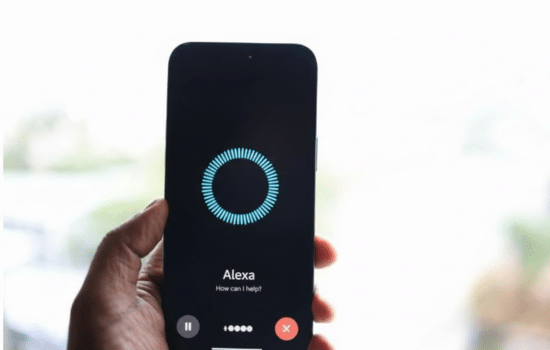
The most straightforward way to get Alexa on your phone is through Amazon’s official Alexa app, available for both iOS and Android devices. This free application serves as the command center for all things Alexa, whether you own Echo devices or simply want voice assistance on your smartphone.
Anúncios
After downloading the app from the App Store or Google Play Store, you’ll sign in with your Amazon account. The setup process takes just minutes, and you’ll immediately gain access to Alexa’s voice capabilities by tapping the blue button at the bottom of the screen.
The official app offers impressive functionality beyond basic voice commands. You can manage your shopping lists, set timers and alarms, control compatible smart home devices, stream music from various services, and even make hands-free calls to other Alexa users or phone numbers in supported countries.
Key Features That Stand Out
Unlike some third-party alternatives, Amazon’s app receives regular updates that introduce new skills and capabilities. You’ll find thousands of Alexa Skills available—essentially apps within the app that extend functionality for specific tasks like ordering pizza, booking rides, or practicing meditation.
The app also functions as a management hub for any Echo devices you own. You can view activity history, adjust device settings, create routines that automate multiple actions with a single command, and even drop in on your home devices when you’re away.
One limitation worth noting: hands-free activation (saying “Alexa” without touching your phone) works inconsistently across different devices and operating system versions. You’ll typically need to open the app and tap the Alexa button to initiate voice commands, which differs from the always-listening experience of Echo speakers.
🔊 Alternative Apps That Bring Alexa to Your Pocket
While Amazon’s official app dominates this space, several alternative applications have emerged that integrate Alexa functionality or provide similar voice assistant experiences optimized for mobile use.
Some Android device manufacturers have partnered with Amazon to integrate Alexa more deeply into their phones. Motorola, for example, has included built-in Alexa support on select models, allowing true hands-free activation that rivals the Echo experience.
Third-party launcher apps occasionally incorporate Alexa integration, letting you access the assistant from your home screen or through custom gestures. These solutions typically redirect you to Amazon’s official app but provide more convenient access points.
Reverb for Amazon Alexa
Reverb stands out as a third-party option that wraps Amazon’s Alexa Voice Service in a more mobile-friendly interface. Available primarily for Android, this app focuses on streamlining the mobile Alexa experience with quicker access and better notification handling.
The app costs a small fee but offers features like customizable wake words, better widget support, and integration with Android’s notification system. For users who frequently access Alexa on their phones, these conveniences can justify the investment.
⚙️ Setting Up Alexa on Your Smartphone: Step-by-Step
Getting started with Alexa on your mobile device requires just a few simple steps. The process remains virtually identical whether you’re using an iPhone or Android device.
First, navigate to your device’s app store and search for “Amazon Alexa.” Download the official app from Amazon Mobile LLC—be cautious of imitation apps that may appear in search results.
Once installed, open the app and sign in using your Amazon account credentials. If you don’t have an Amazon account, you’ll need to create one, which takes only a couple of minutes and requires a valid email address.
After signing in, the app will request several permissions, including microphone access (essential for voice commands), location access (for location-based features), and notification permissions (to receive alerts from Alexa). Grant these permissions to unlock full functionality.
Customizing Your Experience
Take time to explore the settings menu, where you can personalize how Alexa responds to your requests. You can adjust the voice feedback length, enable or disable screen suggestions, and link various third-party services like Spotify, Pandora, or your preferred music platform.
Setting up your location information helps Alexa provide accurate weather forecasts, local news, and traffic updates. You can also add multiple addresses, such as home and work, for more contextual assistance.
🏠 Controlling Smart Home Devices from Your Phone
One of Alexa’s most powerful features is smart home control, and the mobile app delivers this functionality exceptionally well. If you’ve invested in compatible smart lights, thermostats, locks, cameras, or other connected devices, your phone becomes a portable control center.
To get started, tap the “Devices” icon in the app’s bottom navigation bar. Here you’ll find options to add new devices by category or brand. Alexa supports thousands of smart home products from major manufacturers like Philips Hue, TP-Link, Ring, Nest, and many others.
The setup process varies by device type but generally involves putting your smart home product into pairing mode and letting Alexa discover it. Once connected, you can control these devices through voice commands or the app’s touchscreen interface.
Creating Routines for Automation
Routines represent one of Alexa’s most underutilized features. These custom automation sequences let you trigger multiple actions with a single command or based on specific conditions like time of day or your location.
For example, you might create a “Good Morning” routine that gradually increases your bedroom lights, starts your coffee maker, reads the weather forecast, and summarizes your calendar—all triggered by saying “Alexa, good morning” or automatically at a set time.
The mobile app provides an intuitive interface for building these routines. Navigate to the “More” tab, select “Routines,” and tap the plus icon to create a new one. You’ll define a trigger (voice command, schedule, device action, or location) and then add whatever actions you want Alexa to perform.
🎵 Entertainment Options Through Your Mobile Alexa
Music streaming has become inseparable from voice assistants, and Alexa excels in this department. Through the mobile app, you can access Amazon Music (including the free tier with ads or premium subscriptions), Spotify, Apple Music, Pandora, TuneIn radio, and numerous other audio services.
To link a music service, open the app’s menu, select “Settings,” then “Music & Podcasts.” Here you’ll find options to link your accounts and set a default service that Alexa uses when you don’t specify a platform in your voice command.
Beyond music, Alexa provides access to podcasts, audiobooks through Audible, radio stations from around the world, and even meditation sounds. Just ask, “Alexa, play some jazz music” or “Alexa, find podcasts about technology,” and she’ll queue up relevant content.
Multi-Room Audio and Phone Integration
If you own multiple Echo devices, the mobile app lets you create speaker groups for synchronized playback across rooms. While your phone itself won’t participate in these groups, you can use the app to control what’s playing where and adjust volumes independently or as a group.
The app also enables you to send music from your phone to Echo speakers. Start playing something in the Alexa app, then use the cast icon to transfer playback to any Echo device on your network—convenient when you arrive home and want to continue listening on better speakers.
📞 Communication Features You Might Not Know About
Alexa offers several communication tools that transform your smartphone into a more connected device. These features work particularly well when other people in your network also use Alexa-enabled devices or the mobile app.
The “Drop In” feature allows approved contacts to instantly connect to your Echo devices or Alexa app, creating an intercom-like experience. You can drop in on your home devices from anywhere to check on family members, pets, or simply see what’s happening.
Announcements let you broadcast messages to all Alexa devices in your household simultaneously. Through the mobile app, you can create these announcements even when you’re away from home, letting family members know you’re running late, dinner is ready, or it’s time to leave for an appointment.
Calling and Messaging
Alexa supports voice and video calls to other Alexa users completely free of charge. You can also call most phone numbers in the United States, Canada, and Mexico without using your cellular minutes—calls route through your internet connection instead.
Text messaging through Alexa works with your contacts who also use the service. While not as full-featured as dedicated messaging apps, it provides another convenient way to stay in touch, especially through voice dictation when your hands are busy.
🛡️ Privacy Considerations When Using Mobile Alexa
Voice assistants naturally raise privacy questions since they involve transmitting audio to cloud servers for processing. Understanding what data Amazon collects and how to control it helps you make informed decisions about using Alexa on your phone.
Amazon stores voice recordings by default to improve Alexa’s accuracy and train the system to better understand diverse accents and speech patterns. These recordings associate with your Amazon account and remain stored unless you manually delete them.
To review or delete your voice history, open the Alexa app, go to “Settings,” select “Alexa Privacy,” then “Review Voice History.” Here you can listen to recordings, see what Alexa heard, and delete individual entries or your entire history at once.
Controlling What Alexa Hears and Saves
The app provides several options to limit data collection. You can disable the feature that saves recordings entirely, though Amazon warns this may reduce Alexa’s ability to recognize your voice and personalize responses.
Another option enables automatic deletion of recordings after a specified period—either three months or eighteen months. This balanced approach lets Amazon use your data temporarily for improvement while ensuring old recordings don’t accumulate indefinitely.
You can also prevent human review of your recordings. Amazon employs teams that listen to small samples of user interactions to verify Alexa’s accuracy, but you can opt out of this program through the privacy settings.
💡 Tips for Getting the Most from Mobile Alexa
Maximizing your experience with Alexa on your smartphone involves discovering lesser-known features and optimizing settings for your specific usage patterns. Here are strategies that power users recommend.
Enable notifications from the Alexa app to receive reminders, delivery alerts, and notifications when routines execute or smart home devices detect activity. These notifications keep you informed even when you’re not actively using the app.
Explore the Skills store regularly to discover new capabilities. Thousands of third-party Skills extend Alexa’s functionality, from games and trivia to productivity tools and specialized information sources. Enable Skills that align with your interests and routines.
Voice Profile for Personalization
Creating a voice profile teaches Alexa to recognize your voice specifically, enabling personalized responses, music recommendations, and access to your personal information when you speak. Multiple family members can create separate profiles for a truly customized experience.
To set this up, navigate to “Settings,” select “Your Profile & Family,” then “Your Profile,” and choose “Voice.” Follow the prompts to read several phrases aloud, training Alexa to distinguish your voice from others.
With voice recognition enabled, Alexa can provide your specific calendar, access your music playlists, and even make purchases with voice confirmation—though you’ll want to enable purchase restrictions if you’re concerned about accidental orders.
🔄 Comparing Mobile Alexa to Echo Devices
While the Alexa app brings impressive functionality to your smartphone, some differences exist between the mobile experience and dedicated Echo hardware. Understanding these distinctions helps set appropriate expectations.
Echo devices offer always-listening capability with far-field microphones designed to hear your voice across rooms, even with background noise. Your phone requires you to open the app and typically tap a button before speaking, making spontaneous requests less convenient.
Sound quality represents another differentiator. Even budget Echo devices usually provide better audio output than smartphone speakers, making them superior for music playback and vocal clarity. However, pairing your phone with Bluetooth speakers can bridge this gap.
Battery and Data Considerations
Running Alexa on your phone consumes battery power and mobile data. While the impact isn’t dramatic during occasional use, frequent interaction throughout the day will noticeably affect battery life, especially if you use streaming features heavily.
Echo devices plug into wall power and use your home Wi-Fi network, avoiding these constraints. They’re designed for continuous operation without the performance compromises necessary on battery-powered mobile devices.
That said, the mobile app’s advantage lies in portability. You carry Alexa anywhere you take your phone, accessing her capabilities in your car, at work, while traveling, or anywhere else you might need voice assistance beyond your home.
🌐 Using Alexa Across Different Countries and Languages
Amazon has expanded Alexa’s availability to numerous countries, though feature availability varies by region. The mobile app automatically detects your location and adjusts available services accordingly.
Language support continues expanding, with Alexa now understanding English, Spanish, German, French, Italian, Portuguese, Japanese, Hindi, and several other languages. You can change Alexa’s language through the app settings, though this affects all connected devices on your account.
Some features work exclusively in certain regions. For instance, certain Skills, smart home integrations, and shopping capabilities may only function in specific countries where Amazon has established partnerships and services.
🚀 Future Developments on the Horizon
Amazon continuously evolves Alexa’s capabilities, with mobile functionality receiving regular attention. Recent updates have improved conversational abilities, letting you speak multiple requests without repeating the wake word each time.
The company is investing heavily in making Alexa more proactive rather than purely reactive. Future versions may offer contextual suggestions based on your routine, location, and past behavior—like reminding you to order groceries when you’re near a store or suggesting podcast episodes aligned with your interests.
Integration with more third-party services remains a priority. As the Internet of Things expands, expect Alexa to connect with an ever-broader ecosystem of devices, services, and platforms, all controllable through your mobile app.
🎯 Making Your Decision: Is Mobile Alexa Right for You?
Deciding whether to use Alexa primarily through your smartphone or invest in dedicated Echo hardware depends on your specific needs and circumstances. The mobile app excels for users seeking portable voice assistance without additional device purchases.
If you already own a smartphone and want to experiment with voice assistants before committing to hardware, the free Alexa app provides an excellent starting point. You’ll discover which features you actually use and whether Alexa’s ecosystem aligns with your preferences.
For smart home enthusiasts, the mobile app serves as an essential companion even if you own Echo devices. The touchscreen interface simplifies device management, routine creation, and settings adjustment beyond what voice control alone can efficiently accomplish.
Travelers and commuters particularly benefit from mobile Alexa. Access to music, podcasts, navigation assistance, weather updates, and quick information lookup makes the app a valuable companion during daily journeys and vacation trips alike.
Ultimately, there’s no requirement to choose exclusively between mobile and hardware options. Many users find that combining both provides the most comprehensive experience—Echo devices at home for hands-free convenience, and the mobile app everywhere else for portable access to the same ecosystem.
